‌
‌
‌
‌
    ‌
  • ‌
  • ‌
‌
‌
Sale shopping fashion and people concept. Happy young woman buying new clothes in store.
Collect Avios

How to collect Avios when you shop in-store

Meals out with friends and family, or a splurge in your favourite department store can all help pay for your holiday by collecting Avios. Discover the effortless way to collect Avios when you shop in-store.

Three easy steps to collect Avios when you shop in-store

Collecting Avios is a free, quick and easy way to save money on future holidays and trips. Just three simple steps can unlock your next adventure.

  • 01

    Join the British Airways Club

    c-SMALL
    • Before you can collect Avios you'll need to sign up to the British Airways Club, which you can do for free at Avios.com
    • If you already have an account, simply log in to the Avios website
  • 02

    Link your card

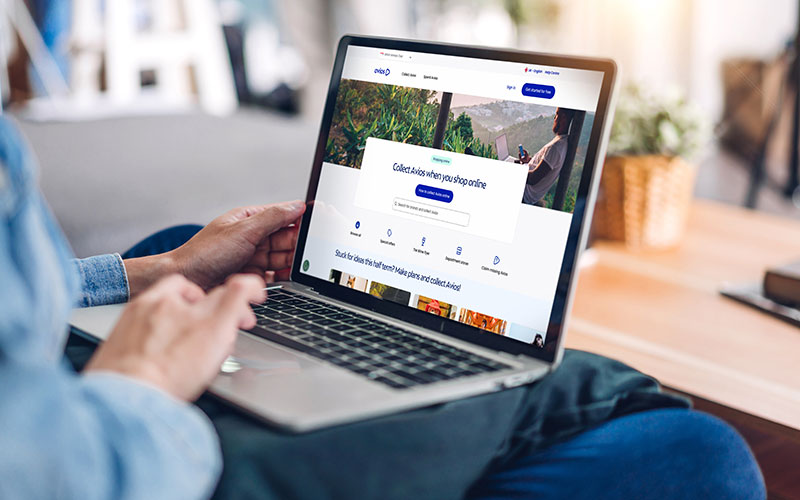
    AviosShopping800x600
    • Log in and visit Account Settings on the Avios website and you will be able to link your payment card to your BA Club account by in the Manage Cards section.
    • You can link up to 10 payment cards, but they must have been issued in the UK
    • It can take up to 24 hours for card to be fully registered to your account so if you use your card before this time, you may not collect Avios
    • If you have an Avios-collecting credit card, you can use those to collect even more
  • 03

    Choose your shop or restaurant and shop as normal

    how it works shipping in store
    • Check the in-store shopping page or the Avios app to see if you can collect Avios at your chosen restaurant or store - there are hundreds to choose from
    • You need to pay with your linked payment card to collect Avios. Payments made with digital cards or methods like Apple Pay, Google Wallet can’t be tracked and Avios won’t be awarded.
    • Once you’ve paid, Avios should go into your account as ‘Pending’ after 10 days and be awarded after 45 days

Ready to shop? Search for brands and start collecting Avios
Shop now
BA CLUB LOGO Grey

Not a British Airways Club member? Join for free

Start collecting Avios and build up your balance to put towards flights, holidays, upgrades and more.

Sign up here today

How to spend Avios

Reward Flights

Use your Avios to explore the world. Fly to one of hundreds of destinations with British Airways on a Reward Flight or part-pay with Avios.
Search Reward Flights
Cabin upgrades

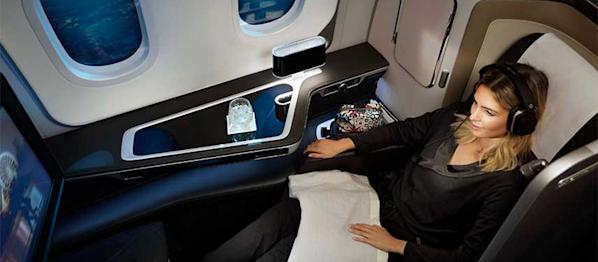
Stretch out your legs and relax in a premium cabin, paid for with Avios.

More about cabin upgrades
A woman in a hotel swimming pool in Ibiza
Hotels

Booking with Avios Hotels, powered by Expedia, means you can choose from a curated selection of their best stays and pay using Avios.
Search Avios Hotels
Shop with Avios

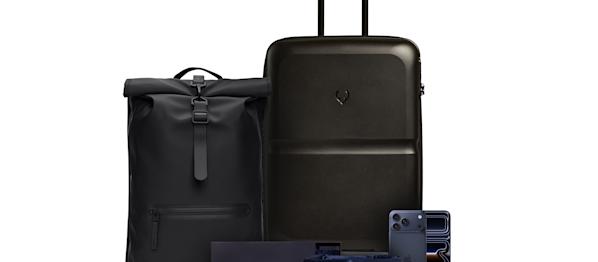
Visit The Edit by Avios Shop and find out how your Avios can help pay for the latest tech from Apple or luxury luggage from brands like Antler, Neer and more.

Explore The Edit

Frequently asked questions

The amount of Avios you collect will depend on a number of factors, including which retailer you are buying from or if there are any special offers.

The Avios website and partner websites outline how many Avios you'll collect for purchases with participating retailers. In most cases, this will be expressed as a number of Avios collected per £/€1 spent at the retailer.

For example, if the retailer is offering 2 Avios per £/€1 spent, and your transaction total is £50 (excluding any taxes and shipping) you can expect to collect 100 Avios.

Sometimes, you may collect Avios for a single purchase or registering for a service, but not for subsequent actions or purchases.

You won't collect Avios on the cost of shipping, handling, or taxes (e.g VAT) associated with a purchase. Avios are only collected on the actual amount spent on the product or service.

In most cases, Avios will reach your account within 35 days. Avios will first appear as 'pending' before being awarded to your account, but there are some exceptions.

  • Hotels and travel: Hotel and travel bookings can take up to 5 days to appear as pending and may not appear in your account until 90-180 after you have completed your stay.
  • Policies, contracts and subscriptions: For policies, contracts, and subscriptions like insurance, broadband and mobile contracts may not appear in your account until 90-120 after the start date of your policy, contract or subscription.
  • Certain partners may not appear as pending in your account. These are: Airbnb, Avios Hotels, Avis, Budget, Royal Caribbean, Hello Fresh.

Here are some common reasons why Avios may not appear in your account:

  • A discount code, or referral code was used when shopping
  • The retailer’s purchase conditions have not been met. You can find these on the individual retailer’s pages.
  • Some retail partners won’t show in pending transactions and will only appear in your account once they have been awarded.

The Avios website works on a 'last referral' basis, which means it should be the last website you visit before you make your purchase. Clicking the 'shop now' button to visit your selected retailer will open a new tab using a special, unique link, which allows us to track your purchase and award Avios.

Here are some guidelines to help make sure you receive your Avios:

  • Sign in to your account before clicking on the 'Shop now' button
  • Complete your purchase online in one session - don't navigate away or visit another website while shopping
  • Don't retrieve previously saved items in your shopping cart; start the process from scratch
  • Don't click on another banner or website promoting the retailer before completing your transaction
  • Don't use 'refer a friend' programs
  • Don't modify or complete your order through the retailer's physical store or over the phone
  • Disable internet security and ad-blocking software before using the Avios shopping website
  • Don't use voucher codes that were not provided on the Avios shopping website
  • Gift card purchases are not eligible for Avios unless stated otherwise
  • Use the same country's link within the retailer's site for making a purchase
  • Ensure that you land on the retailer site from Avios website and accept their cookies
  • Don't install browser extensions or add-ons from other reward sites

Unless stated otherwise, purchases made through retailer apps will not be eligible for Avios. Please make your purchases through their website via your internet browser (e.g. Chrome, Safari, Microsoft Edge).

Before making a claim for missing Avios you should check if enough time has passed since you made your purchase

  • 35 days for an online purchase
  • 120 days from the end of a hotel stay
  • 180 days from the start of a new contract or subscription

If the allotted amount of time has passed and you have not received your Avios, you can complete a missing Avios form.

You will need to log in to your British Airways Club account and select the transaction you wish to claim for from the list in your account. If the transaction or the visit has not been tracked, you will not be able to claim missing Avios.

‌